Imagine settling in at your desk for a packed workday, launching an urgent video call with a major client, and suddenly watching your screen freeze into a blocky, pixelated mess. Or picture your team standing around waiting for simple documents to load because three people tried to download files at the same time. Internet dropouts and dead spots are some of the most annoying hurdles a growing team can face.
When your office Wi-Fi starts dragging, the first thought is usually to replace the box sitting in the corner of the room. However, as your team grows, relying on a single residential-style device just will not cut it anymore. Understanding the real difference between a wireless router and a dedicated access point is the key to building a network that actually supports your day-to-day work. That’s where Switch Link, a reliable router supplier in Dubai, UAE, helps you sort through the noise and set up a solid, hassle-free network.
Why Working with an Experienced Router Supplier in Dubai Makes All the Difference
Upgrading your office connection is about much more than grabbing a random device off a shelf. Working with Switch Link means you get genuine equipment designed to handle heavy daily traffic, along with real local support to help you make sense of your choices. Many small businesses make the mistake of using standard home networking gear in a busy office setting. While a basic home box could work fine for streaming movies on a couple of personal devices, it quickly buckles under the weight of dozens of laptops, smartphones, cloud software, and desk phones all competing for signal at once. A specialized router supplier in the UAE looks at your actual office footprint, concrete walls, user count, and daily internet demands, ensuring you spend your budget on equipment that keeps everyone connected without random crashes.
Breaking Down the Core Differences
To build a network that fits your office workspace, it helps to understand what these two key pieces of equipment actually do behind the scenes:
What Is a Router?
Think of a router as the traffic director for your entire office network. Its main job is to take the main internet line coming into your building from your provider and pass that connection out to all the devices in your office. It assigns a unique address to every connected laptop, phone, and printer so information gets delivered to the right spot without getting mixed up. Most basic units also have a few physical cable plugs on the back and a built-in wireless transmitter.
What Is a Wi-Fi Access Point?
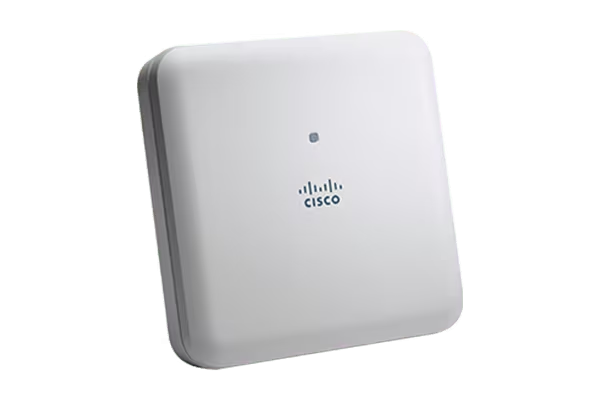
An access point, however, does not route traffic or deal with addresses. Rather, it’s a signal extension bridge. It plugs right into your main network setup with a regular internet cable, and shoots a strong wireless signal to a particular spot in your office. Throw a few more access points on the walls or ceilings around your floor plan, and you have a giant, seamless Wi-Fi umbrella that allows employees to go from room to room without losing their connection.
Quick Comparison: Router vs. Access Point
| Feature | Wireless Router | Dedicated Access Point |
|---|---|---|
| Primary Role | Directs main internet traffic and manages connection addresses | Expands wireless coverage across larger physical spaces |
| Best Used For | Small offices or single-room working setups | Medium to large offices, multi-floor spaces, and busy teams |
| Device Capacity | Handles a limited number of active devices at once | Built to handle dozens or hundreds of devices simultaneously |
| Flexibility | Covers a fixed, single area from one spot | Easily expanded by adding more units across the building |
| Placement | Usually sits on a desk near the main internet line | Mounted high on walls or ceilings for maximum signal reach |
Why Growing Offices Need Dedicated Access Points
If your business operates out of a space larger than a small single-room office, relying solely on a lone router will quickly lead to frustrating signal drops in corner rooms and meeting areas. Here is why stepping up to dedicated access points makes a world of difference for your daily operations:
- Eliminate Annoying Dead Zones: Thick concrete walls, glass partitions, and long hallways weaken wireless signals. Placing access points strategically ensures every corner of your office gets full signal strength.
- Support Dozens of Devices Effortlessly: Modern employees carry a laptop, a smartphone, and sometimes a tablet, on top of office printers and smart TVs. Access points distribute this load evenly so the network never feels sluggish.
- Seamless Movement for Staff: With a multi-access point setup, your team can start a call at their desk, walk into a conference room, and head to the breakroom without their call dropping or disconnecting.
- Neater Installation with Less Cord Clutter: Most modern access points pull their power directly through the network cable. That means you can mount them cleanly on ceilings without needing nearby wall power outlets.
- Separate Guest Access for Better Security: You can easily set up an isolated Wi-Fi network for visiting clients that keeps them connected to the internet while keeping your private company files completely off-limits.
Office Network Readiness Checklist
Before you invest in new networking equipment, running through this simple checklist will help you avoid common setup headaches on installation day:
- Map Out Your Office Layout: Measure your floor space and note thick walls, metal dividers, or elevator shafts that could block wireless signals.
- Count Your Connected Devices: Tally up all laptops, mobile phones, printers, security cameras, and desk phones to estimate your peak network usage.
- Check Your Wall Cabling: Ensure your office has clean network wall outlets in the areas where you plan to install ceiling- or wall-mounted equipment.
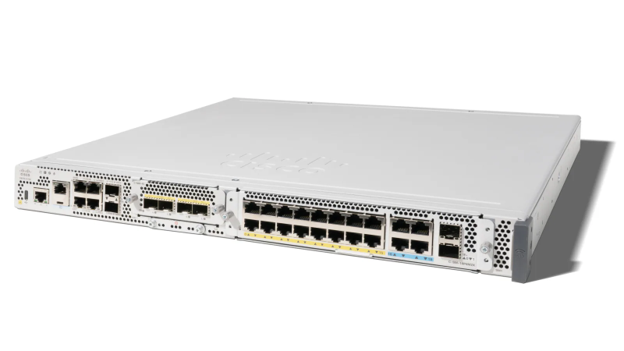
- Review Your Current Switches: Verify if your existing switches can supply power through network cables so you can power your new equipment cleanly without extra power cords.
- Consult with Local Experts: Connect with Switch Link, your local router Supplier in Dubai early in your planning phase so we can help you choose hardware that easily grows as your team expands.
Conclusion
The key to keeping your business running smoothly every single day is finding the right balance between coverage, speed, and hardware reliability. A standard box could get a tiny office off the ground, but growing teams quickly outgrow single-device setups and need the coverage that dedicated access points provide. Partnering with Switch Link, a dedicated router supplier in the UAE, means you get reliable hardware, crystal-clear advice, and hands-on guidance tailored specifically to your physical workspace. We take the stress out of office setups so you can focus on running your business with total confidence in your connection. If you’re tired of spotty coverage and want an office network that simply works, check out our full range of gear on our website and reach out to our local team today to get started.
Frequently Asked Questions (FAQ)
No, it cannot. An access point only broadcasts a wireless signal; it does not assign addresses or manage traffic between your internal network and the outside internet. You still need a central router connected to your main internet line to direct traffic, while access points spread that wireless connection around your space.
That depends on your total square footage, the building materials in your walls, and how many people work in the space. One commercial access point will typically cover about 1,000 to 1,500 square feet of open office space. Enclosed offices and meeting rooms could need additional coverage.
While access points cannot make your internet provider supply more raw speed, they prevent internal signal congestion and eliminate weak spots. This means your devices will operate at their maximum possible speed rather than choking on a crowded or weak signal from a distant router.
Not at all. Modern commercial hardware uses centralized management tools that let you adjust settings, update security rules, and view network health for all your devices from a single, clean dashboard interface on your computer.